
EPD data (Environmental Product Declaration) is becoming increasingly in demand in the market. EPD data represents a carbon footprint for different stages in a product's life cycle. For more information on EPD and requirements, we recommend taking a look at the following sources:
Older EPDs are typically a PDF document that documents the product's carbon footprint, but this is of little help for those who need to use the data in carbon accounting software. To use data from an EPD, it is important to have them digitized. All new EPDs at EPD - Norway are now being digitized, and they are working on digitizing older EPDs as well. EPD - Norway and other EPD providers publish their digital EPD data through a common platform "Eco Platform," which serves as a hub for accessing digital EPD data.
feed® has a dedicated module towards ECO Platform that allows you to directly fetch EPD data on the product card in feed® with the option to download EPD data in excel format and offer them digitally through feed® export API.
Digital EPDs
If you have a digital EPD, it will automatically be downloaded upon registering a complete "EPD Registration number" for the product in feed®.
Note: Older EPDs are not always digitized, and new EPD documents may take some time before they are available digitally. If you have an EPD that is not available digitally, please contact EPD Norway to check the status at post@epd-norge.no.
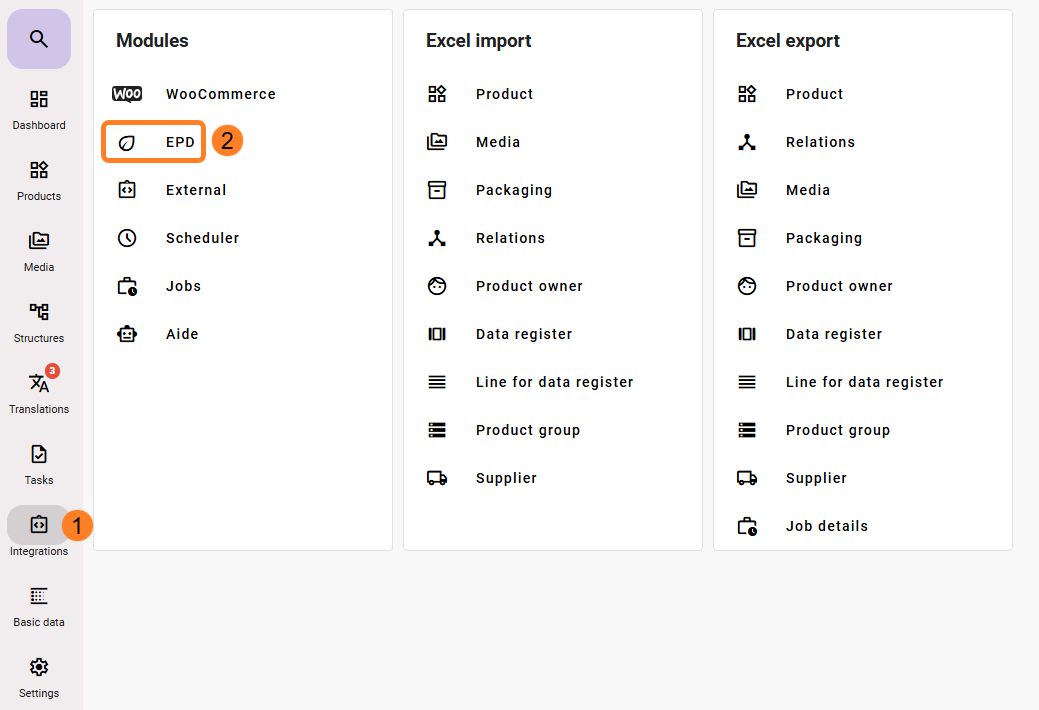
When ordering the EPD module for feed®, you need to enable/map a few fields in the EPD configuration. You can find these by clicking feed integrations (1) and then the EPD icon (2), which becomes visible once the module has been activated.
To set up the EPD module, the following is required:
- EPD Number
- Must be created as an attribute in feed® with the data type Universal text and made available in the product template for products that should have an EPD.
- Media Role
- If a desired media role is specified, feed® will also download the corresponding EPD PDF document and assign the selected role. If no role is set, the PDF will not be downloaded.
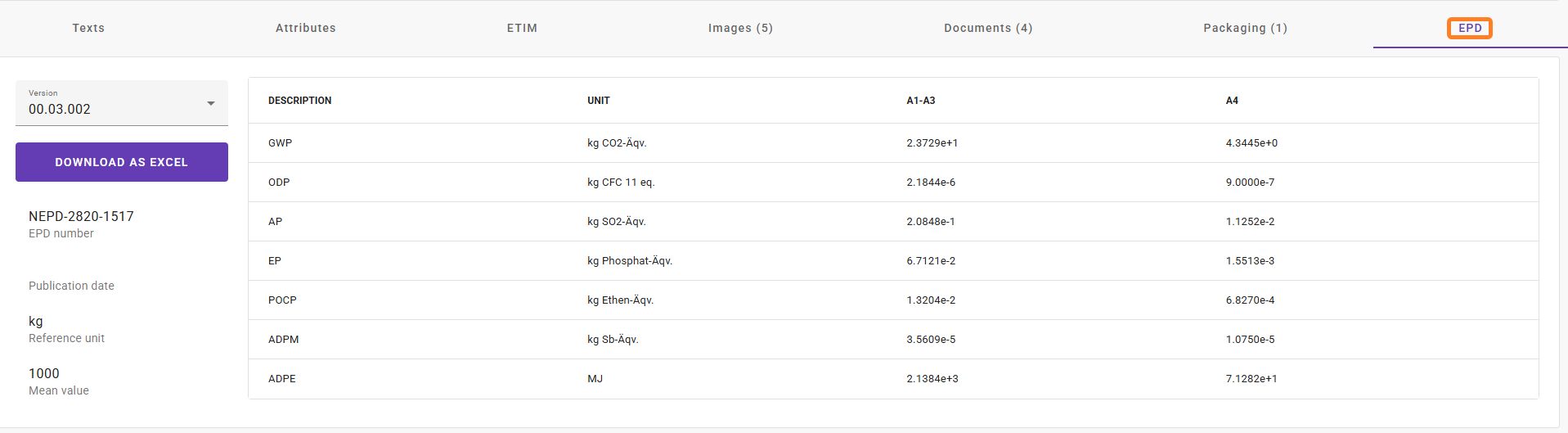
When a complete EPD Registration number has been entered in the specified attribute for EPD number on products in feed® (1) (example below), a separate EPD tab will be available on the product card with the digital EPD data accessible via our module as illustrated below (2).
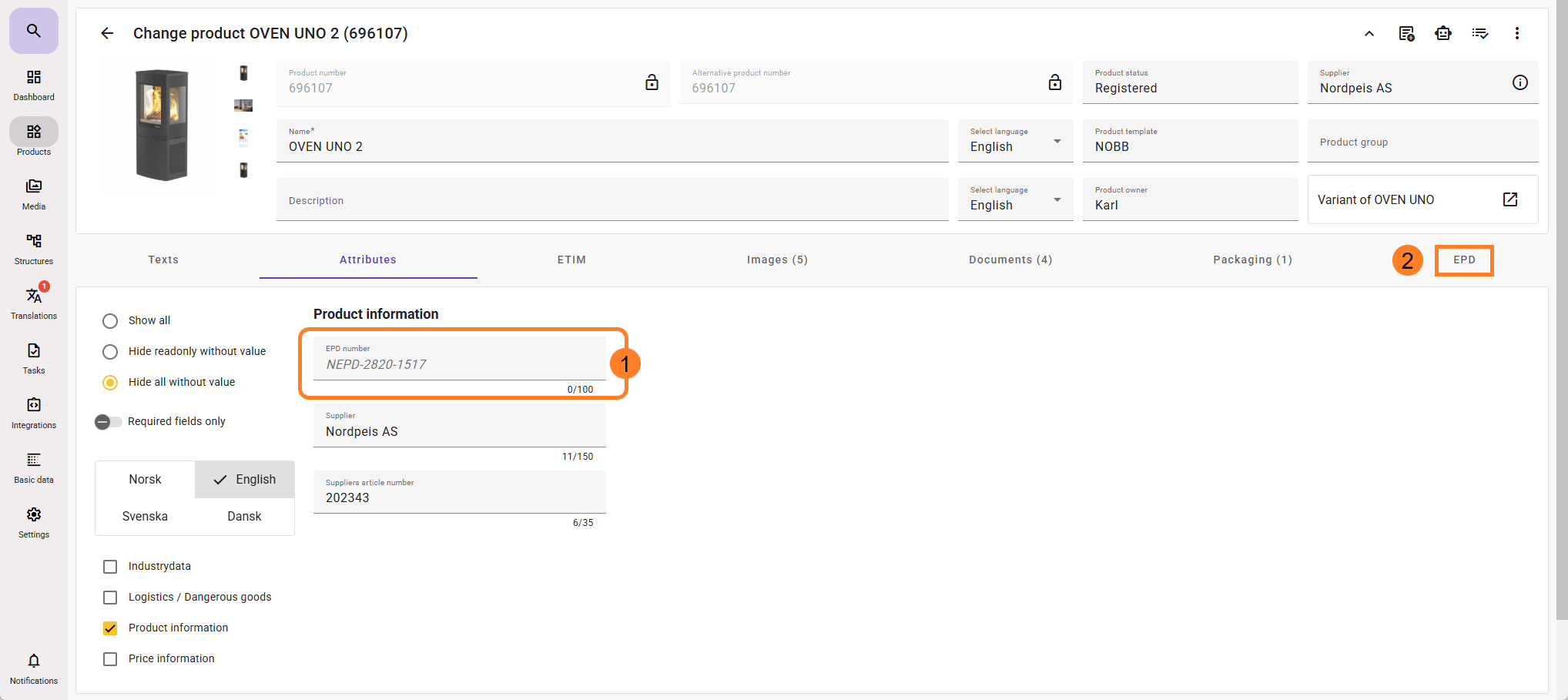
EPD information will become available shortly in the EPD tab after the EPD number has been added to feed.
It is not necessary to click on the EPD tab for the information to be imported into the feed. If you import the EPD numbers into the product via Excel import, all EPD information will be available on the products without needing to take any additional manual steps in the feed.
The EPD PDF generation is run as a nightly job every day in feed, and does not appear immediately after adding an EPD number to a product. It will only be visible the following day.
