
...
If you only have access as a normal user, you can still create your own workflows, you just can't publish them for others to see.

So what is a workflow?
...
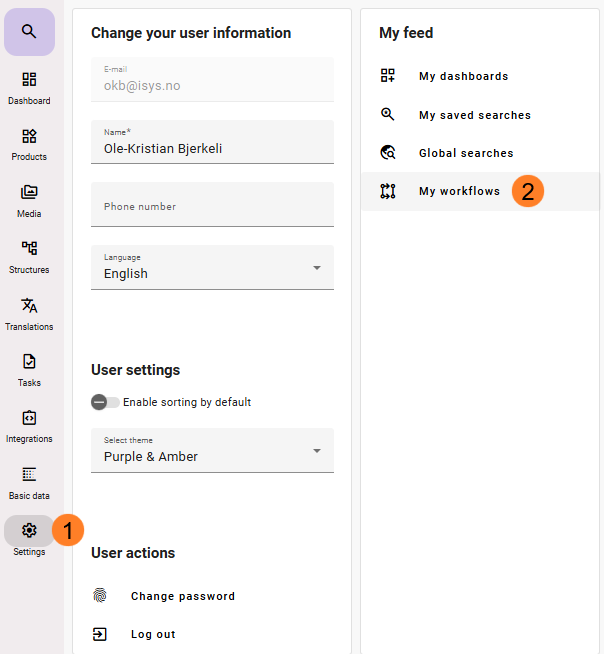
- Click on settings
- Click on My Workflows
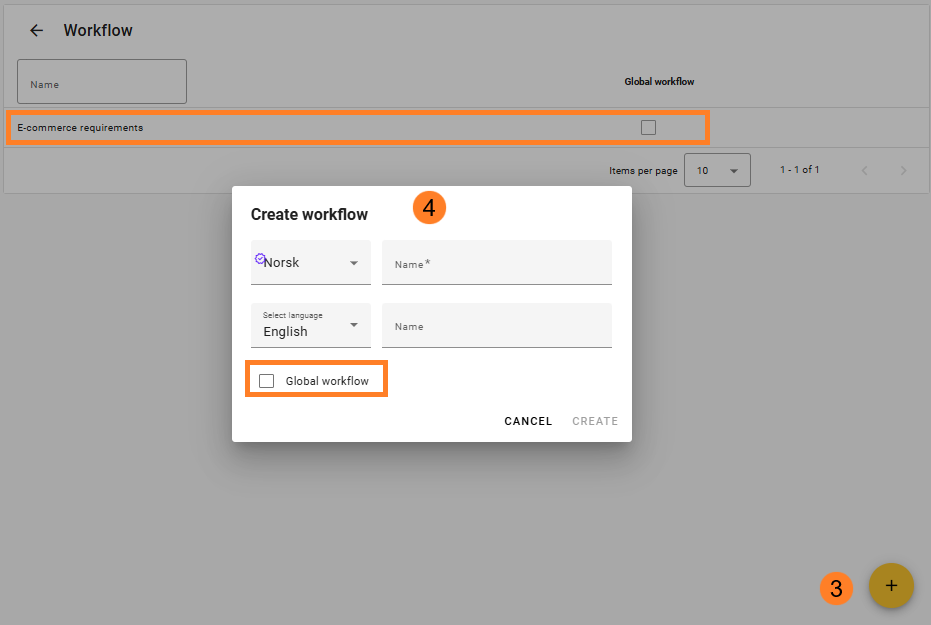
- In Workflow you will find your own workflows and global workflows. From here you can click on your own workflows (or global, if you have the credentials for this) and edit them, or you can create new workflows by pressing the round + button on the lower right side.
- If you are an Administrator, or Super User you can create a global workflow that will be available for all feed users, if not you can create your own workflow
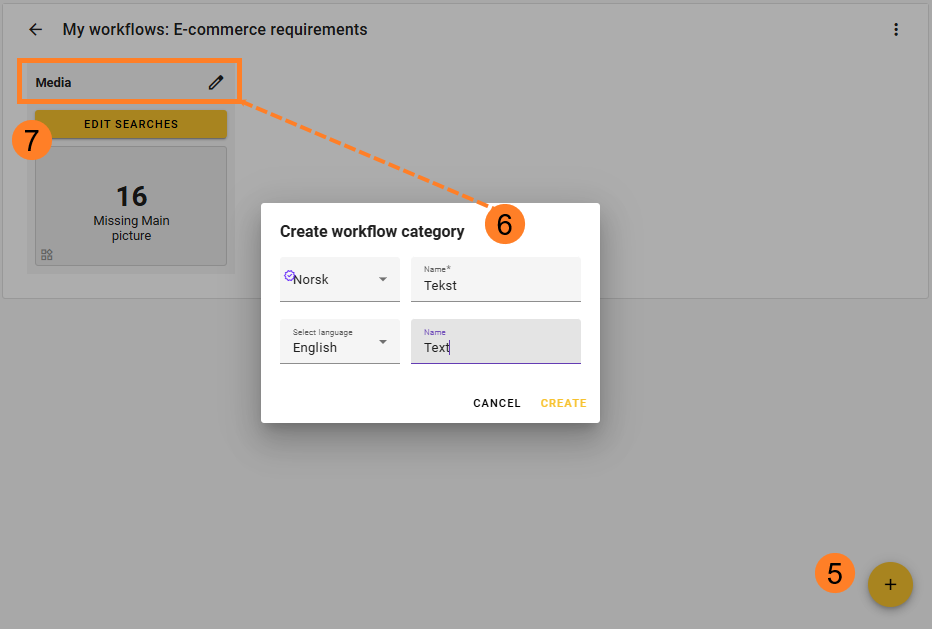
- You create named sections within the workflow. How many sections you need and the purpose of these sections is for you to decide. It could be to categorise or prioritize sections. Minimum is one section. Click on the round + button to create a section.
- Name the section. If you have several users that is using this workflow and they use different languages in feed, make sure to name them in those languages, otherwise it will be blank for the user.
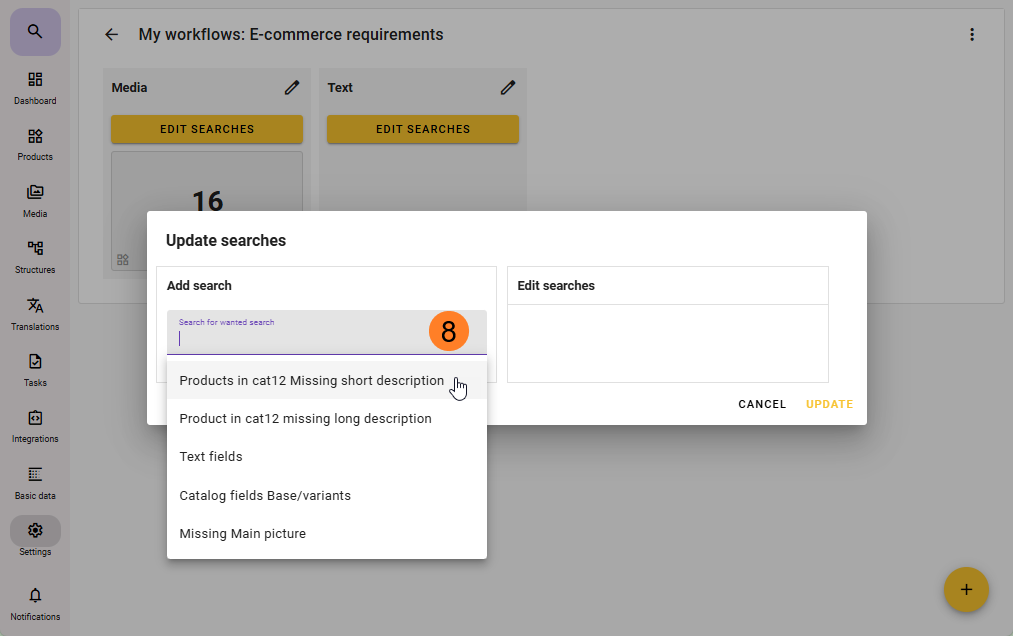
- Once a section is created you can add saved searches to them by clicking on Edit Searches.
- On the Add search dropdown list you will only see your own saved be able to search and select searches. If you need to use some of the global searches in your workflow, you will have to enter that search. Click on the three dots and save that global search as a local user search. Then you can add it.
This is the case even if you choose to create a Global workflow.
When you publish a Global workflow, the searches that is used in the workflow will be visible for other users even if the searches used is not globaladd more than one search you can drag and drop the sort order of these. You can also on a later stage remove or add more searches by editing these searches.
Important:
Anyone with Administrator or superuser credentials can enter a global workflow and add or remove a search (or section) to that workflow. They can also change the sort order of the searches.
...